Never miss
a dose.
A thoughtful medication reminder and log for iPhone. Daily routines, flexible intervals, or as needed, with everything kept private on your iPhone and in your iCloud.
Download on the App Store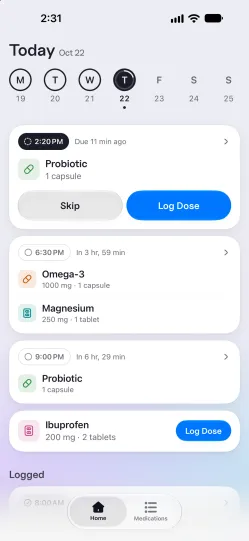
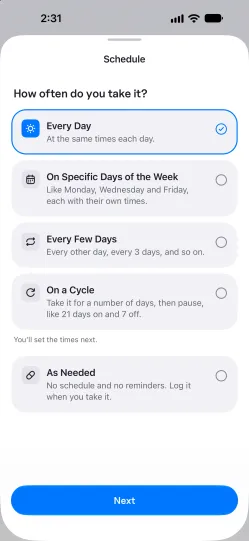
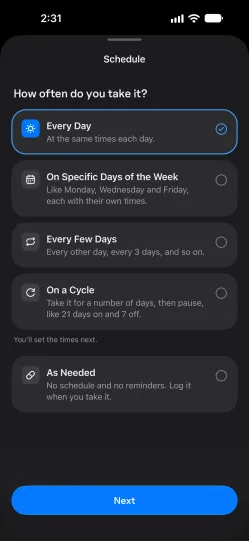
Any schedule.
Every day, specific days, every few days, on a cycle, or as needed.
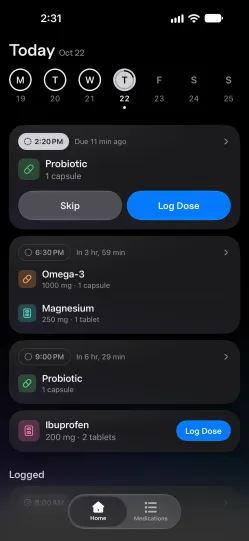
Running late? Your day moves with you.
Choose “Keep the gap between doses” and a late dose moves the rest of the day back by the same amount.
Took it already? Check, don’t guess.
Every dose is saved with the time you took it. Go to log an extra dose and Lavio asks you first.
Yours alone.
Your medications and history stay on your iPhone and in your own iCloud, encrypted so only you can read them.
Reminded early, on time, then again.
A heads-up before, a Time Sensitive reminder at the time, and a follow-up if it isn’t logged. Or snooze it right from the reminder.

Lavio Pro.
Try it free for 14 days, then pay once, with no subscription. Unlimited medications, a Live Activity countdown, your log to share with your doctor, and app icon colors.


Questions
Is it good for people with ADHD?
Many people with ADHD forget doses even with reminders, or can’t recall taking one. Lavio reminds you again if a dose isn’t logged, and asks before you log an extra one. More for people with ADHD
Is it free?
Yes, for up to 3 medications, with reminders and your full history.
Can it remind me every 4 or 6 hours?
Yes. Set the doses a few hours apart and choose “Keep the gap between doses”, and each one is timed from when you actually took the last.
Is there a widget?
Yes. Home Screen widgets in three sizes and a Lock Screen widget show what’s due and when. With Pro, a Live Activity also counts down to the next dose.
Will my medications come to a new iPhone?
Yes. They sync, encrypted, through your own iCloud. Sign in to the same Apple Account on the new iPhone, open Lavio, and they’re there. You can turn sync off in Settings. Moving to a new iPhone
What about as-needed medication?
Add it as “As Needed” and log it whenever you take it. It won’t send reminders.
Does it work with VoiceOver and larger text?
Yes. VoiceOver reads each dose card in full, with Log and Skip as actions. At the largest text sizes, cards and settings rearrange so no words are cut off.
Is it on iPad or Android?
No. Lavio is made for iPhone.